


 Italiano
When working with Asset2Work, the web back-office provides space to organize data and activities, while the mobile app (opens in a new tab) supports operators in the field. Both contribute to the same process: assignments and references come from the office; observations and outcomes return from the field. The actual division depends on responsibilities and the functions adopted.
Work prepared in the office
Section titled “Work prepared in the office”Coordinators need consistent data about assets, locations and people. Preparation includes plans, required checks and assignments: technicians should understand which item is involved, which activity to perform and which information to collect.
The back-office supports asset records and planning, alongside consultation of work records. Reports and analysis tools support review within the available scope; authorized people manage settings. Planning, administration and verification remain separate responsibilities, even when one person holds them all.
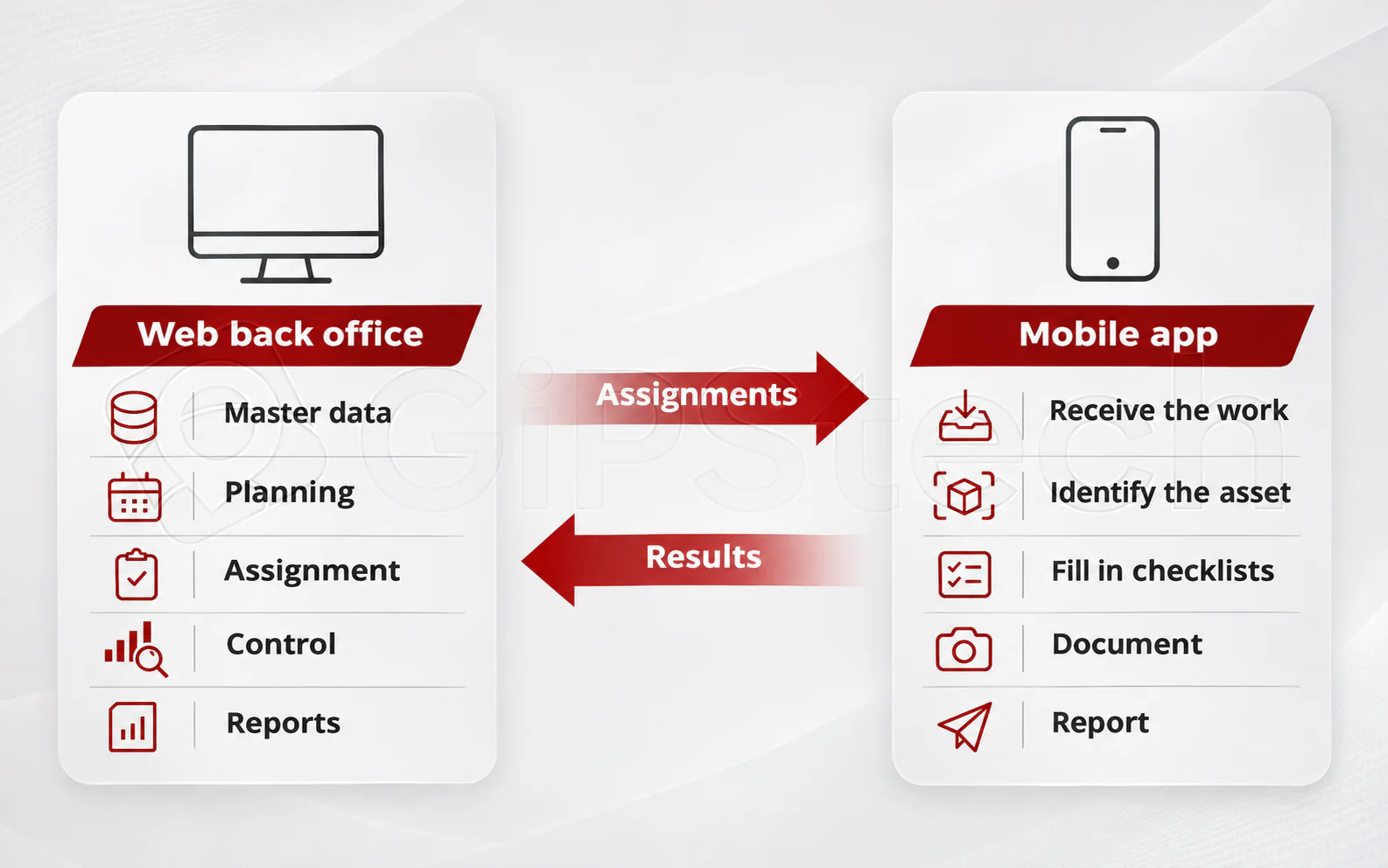
Good preparation prevents the phone from becoming merely a container for incomplete requests. If the asset’s identity is missing or the expected outcome is unclear, the difficulty is passed to the technician instead of being resolved.
Work carried out in the field
Section titled “Work carried out in the field”In enabled processes, the Asset2Work app supports consultation of activities and asset data, checklists, recorded outcomes and attachments, and reports. Technicians can work from the assignment reference instead of reconstructing it from separate communications. The public app overview (opens in a new tab) describes this relationship between instructions and documentation.
Required information should be proportionate to the check: a measurement, selection and note have different meanings. A checklist collects the specified data; saving it and advancing the activity are separate matters. An intervention should not be considered complete solely because a form has been filled in.
The device and distributed version must be checked against the intended process. App availability for a device family does not ensure identical behaviour for every function across all operating systems or accessories.
Without a network: preparation, recording and synchronization
Section titled “Without a network: preparation, recording and synchronization”Offline work requires data already available on the device and operations designed for that path. The app includes data preparation and local-record upload functions: this does not mean that every web or mobile operation is available without connectivity.
Three moments need to be distinguished:
- Prepare: make the necessary data available before entering an area without a network.
- Record: retain supported operations on the device, knowing the office may not have received them yet.
- Synchronize and verify: transfer data when connectivity allows and check any processing errors.
The return of connectivity alone does not establish that every outcome has been processed. Some operations also require a connection: the process must be tried under real conditions, including interruptions. The article on field work with a smartphone helps assess these dependencies.
A fictional example
Section titled “A fictional example”At the Aurora centre, the coordinator prepares an equipment inspection in a plant room. The technician consults the assignment and records the required checks. If the room has no coverage, the project must already have verified which data and operations work offline; locally collected outcomes will become usable in the office after transfer and processing.
The coordinator can then examine the outcome and request further investigation. Shared information connects the two environments; an urgent phone call may still be necessary when the situation cannot wait for synchronization.
Access consistent with the task
Section titled “Access consistent with the task”The division follows roles and responsibilities, rather than an absolute separation between “computer users” and “phone users”. Licensing, access and permissions determine what each person can do. Operational instructions are in the reserved mobile app documentation, which requires sign-in.