


 Italiano
Asset2Work is the GiPStech platform that connects asset management, localization and field activities: it helps organize work on equipment and installations, collect outcomes and make them available for review. The starting point is an operational question: which item needs attention, who will deal with it and what information should remain after the work?
From an asset to a documented outcome
Section titled “From an asset to a documented outcome”An asset is an item whose identity, characteristics and history an organization wants to understand: for example, a pump or a piece of mobile equipment. Its record provides a shared reference for activities, avoiding reliance on descriptions such as “the pump near the door”. See What a physical asset is and why to register it for the underlying concept.
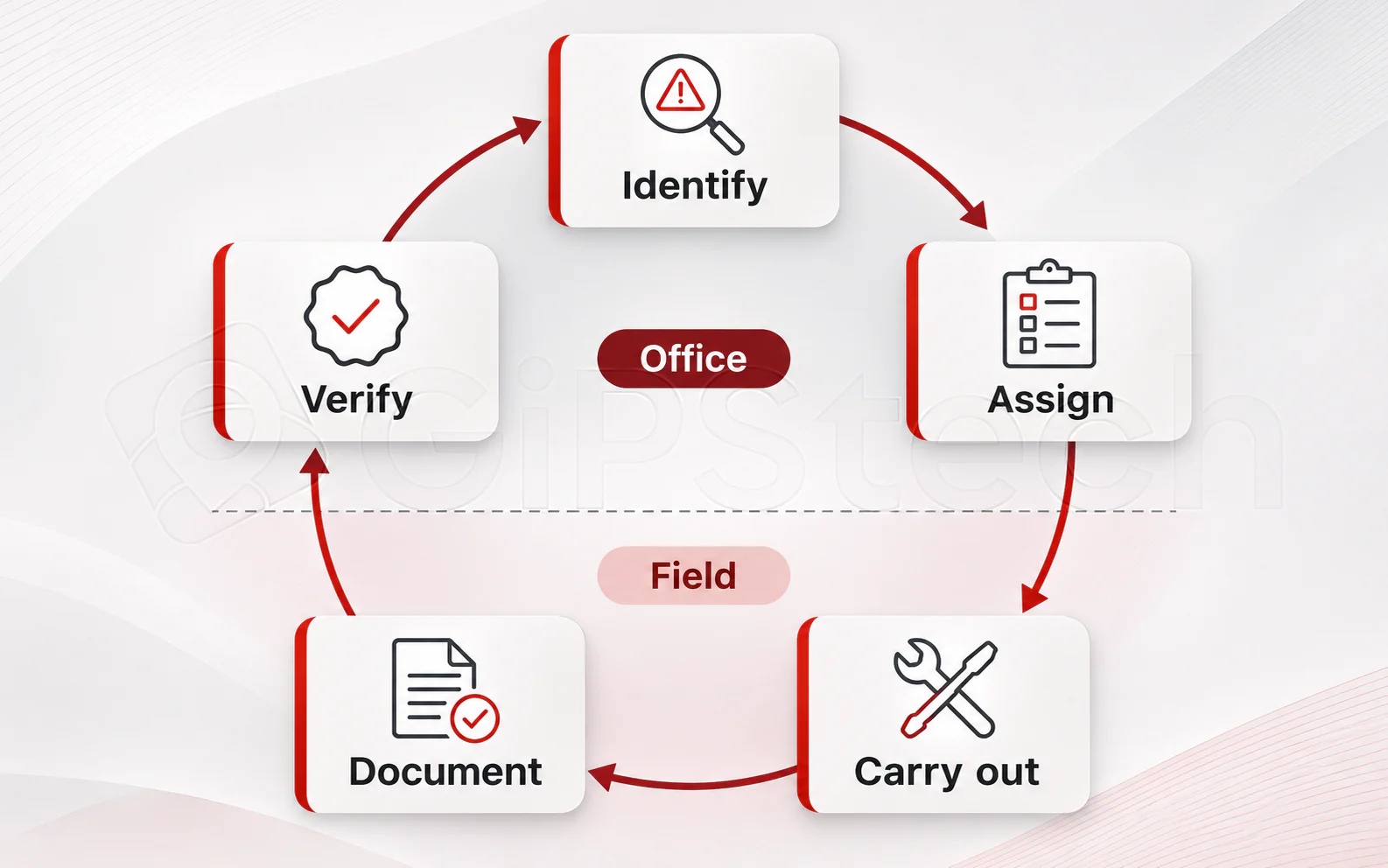
The operational cycle can be understood as five moments. This is a general view of the work, rather than a compulsory sequence that is identical for every service.
| Moment | Question to answer |
|---|---|
| Identify | Which item or location is involved, and what information is needed? |
| Assign | Who is assigned, and who is responsible for the work? |
| Carry out | Which activity must be performed according to the organization’s procedure? |
| Document | Which checks, observations and outcomes need to be retained? |
| Verify | Is the recorded outcome sufficient, and does it require further action? |
A planned activity and a fault report have different origins, but both require clear responsibilities and information. Recording an outcome does not by itself establish that equipment is fit for use: technical criteria and subsequent decisions remain the organization’s responsibility.
Capabilities combine around the process
Section titled “Capabilities combine around the process”Asset2Work includes asset records and documents, activity plans, tickets and checklists. Assignment and progress functions connect work to the resources involved; the app allows authorized operators to consult activities and collect the required information. Web back-office and mobile app explains how these tasks are shared.
The public suite overview (opens in a new tab) also presents localization and tracking, maps and contextual content, service analysis, configuration and integrations. These areas require project assessment: a capability’s presence in the suite does not mean that every installation, operator or device uses it. Licensing, access rights and the adopted process determine the actual scope.
Why knowing an item’s location matters
Section titled “Why knowing an item’s location matters”Identity answers “what is it?”; position answers “where should I look?”. Connecting the two can help when equipment moves between departments or buildings. However, a position has a source and an update history: the last known location does not always represent the current position.
The technologies and infrastructure required depend on the environment and the accuracy useful for the work. The GiPStech technology overview provides further context. Locating an item and documenting an intervention are complementary kinds of information: a presence observation does not replace a recorded check outcome.
A fictional example
Section titled “A fictional example”At the imaginary Aurora logistics centre, mobile equipment requires periodic inspection. The manager identifies the item, defines the checks and assigns the activity. The technician identifies the equipment and records outcomes; the manager examines the collected information and decides how to address any anomalies.
If the item has moved, an available position can help locate it, provided it is recent enough. If data or clear responsibilities are missing, digitalizing the request does not remove that uncertainty.
Where to start
Section titled “Where to start”The choice begins with the operational problems to solve, rather than enabling every function at once. Phased adoption explains how to define a first process and evaluate its results. Usage procedures are in the Asset2Work documentation, reserved for registered users.